Table of Contents
ToggleIt’s 2026, and the Xbox One S, a console released nearly a decade ago, is still sitting under gaming setups across the world. For a system that’s technically last-gen, it’s surprisingly stubborn about relevance. Whether you’re a budget-conscious gamer eyeing that low entry price, a collector curious about its place in gaming history, or someone wondering if it’s still worth the shelf space, the Xbox One S deserves a real look. This guide digs into what the console actually offers in 2026, how it stacks up against modern expectations, and whether grabbing one makes sense for your gaming life.
Key Takeaways
- The Xbox One S remains a viable budget gaming option in 2026, especially for Game Pass subscribers who can access 300+ games for a monthly subscription rather than purchasing titles individually.
- While the Xbox One S supports 4K output and upscaling, it delivers native 1080p-1440p gaming at 60 fps maximum, significantly behind the current-gen Xbox Series X which achieves true 4K and up to 120 fps.
- The console’s backward compatibility program stands out, allowing players to run over 600 games spanning four Xbox generations, including original Xbox and Xbox 360 titles with enhanced features.
- Used or refurbished Xbox One S units cost $100-$250 in 2026, but investing $100-$150 more for a refurbished Xbox Series S provides superior long-term value and 4-5x better performance.
- The Xbox One S suits casual gamers, budget-conscious players, and Game Pass enthusiasts, but falls short for competitive online gaming or those seeking the latest AAA visuals and load times.
What Is the Xbox One S?
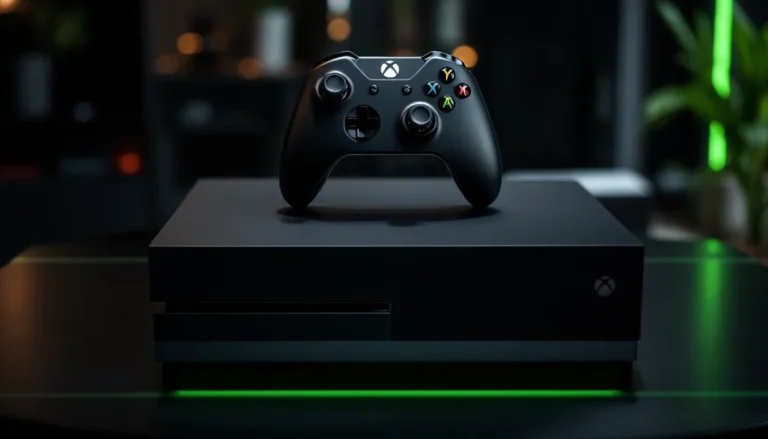
The Xbox One S is a mid-cycle refresh of the original Xbox One, launched by Microsoft in August 2016. It’s not a new generation, it’s the same console, just smaller, quieter, and with a few visual upgrades. Think of it as the “streamlined” version of what came before.
Microsoft designed it to fill a specific gap: those who wanted an Xbox One but didn’t like the original’s bulky design or acoustic personality. The “S” designation signaled a generational refresh, not a complete overhaul. Under the hood, the GPU and CPU are identical to the launch model, meaning raw processing power is the same.
What changed was the form factor, the power consumption, and the promise of 4K support for certain games and media. It became the standard Xbox One model for the next few years, remaining in production until the Xbox Series X and S launched in 2020.
Today, it’s a relic in some circles, a budget option in others, and a curious piece of console history for collectors. But it still powers through a substantial library of games, thanks to Microsoft’s commitment to backward compatibility and Game Pass.
Key Specs and Hardware Features
Processor and Memory
The Xbox One S runs on an AMD 8-core CPU clocked at 2.3 GHz, paired with 8 GB of GDDR5 memory (5 GB available to developers, 3 GB reserved for the OS). This is identical to the original Xbox One released in 2013. It’s not powerful by modern standards, but it’s enough to run the console’s entire software library without bottlenecking.
By comparison, the Xbox Series X features a custom AMD Zen 2 processor with 8 cores at up to 3.8 GHz. The gap is real, and it shows in game performance. But for 1080p and some 1440p gaming, the One S doesn’t embarrass itself.
Graphics and Display Capabilities
The GPU pushes 1.4 teraflops (TFLOPS), compared to the Series X’s 12 TFLOPS. That’s roughly an 8.5x difference in raw compute power. The Xbox One S can output to 4K displays, and certain games render at 4K resolution, but most are upscaled rather than native 4K.
Key distinction: Upscaling is not the same as native 4K rendering. Many Xbox One S games render at 1080p or 1440p and scale up to 4K. HDR (High Dynamic Range) support is present, which can make colors and contrast pop even on lower-resolution renders.
Output options include HDMI 2.0a, supporting up to 4K at 60 Hz, and optical audio for legacy surround-sound setups. The console supports Dolby Vision for video content, though game support for Dolby Vision is limited.
Storage and Connectivity
The Xbox One S ships with either 500 GB or 1 TB of storage (the 1 TB became standard). Internal storage fills up fast, modern games range from 40 GB to over 150 GB. Expansion is possible via external USB 3.0 drives (up to 2 TB officially supported).
Connectivity includes built-in Wi-Fi (802.11ac dual-band), Ethernet via USB adapter, Bluetooth 4.1 for controllers and accessories, and USB ports for external storage or device charging. It’s not cutting-edge by 2026 standards (Wi-Fi 6 is now common), but it handles Game Pass streaming and online multiplayer without hiccups on a decent broadband connection.
Game Library and Backward Compatibility
Native Xbox One Games
The Xbox One S has access to the entire Xbox One software library, that’s thousands of titles. Major franchises like Halo, Forza, Gears of War, and Call of Duty all run on the hardware. Newer titles increasingly target Xbox Series X/S as primary platforms, but the One S library hasn’t shrunk: games just release across both generations less frequently now.
If you’re interested in enjoying titles like Experience the Ultimate Adventure in Xbox One GTA V, the console handles it without drama. The same applies to sports franchises (NBA 2K, Madden, FIFA/FC) and third-party hits from years past.
One caveat: performance varies. Some games target 1080p/60 fps, others aim for 4K/30 fps. Developers prioritize different specs, so frame rate and resolution aren’t guaranteed across the board. Always check individual game performance reviews if framerates matter to your experience.
Enhanced Games and Backward Compatible Titles
Microsoft’s backward compatibility program is one of the Xbox One S’s greatest assets. Games from the original Xbox and Xbox 360 can run on the One S, often with enhancements like higher resolution or improved load times. Over 600 backward-compatible titles are available, spanning four console generations.
There’s also a list of “enhanced” games, titles that received specific updates to take advantage of the One S’s 4K capabilities and extra hardware headroom. These games look noticeably sharper on 4K displays compared to the original Xbox One, though they’re still not native 4K renders.
The catch: not every classic is available. Licensing agreements, technical challenges, and business decisions mean gaps exist. But if you’ve got a library of older Xbox titles, the One S is a solid way to replay them without maintaining multiple consoles.
Performance in Today’s Gaming Landscape
4K Support and Frame Rates
Let’s be clear: the Xbox One S does not do true 4K gaming at high frame rates. It’s not a limitation of the console’s display output, it’s the GPU’s compute power.
When Microsoft marketed the One S as “4K-capable,” they meant 4K video playback (Blu-ray, streaming apps) and 4K upscaling in select games. Native 4K gaming is rare. Most One S games run at 1080p or 1440p, then scale to 4K via hardware upscaling. The visual improvement is real compared to 1080p native, but it’s not the clarity of true 4K rendering.
Frame rates on the One S typically peak at 60 fps for optimized titles, with many shooting for 30 fps to maintain visual fidelity. Fighting games, sports titles, and competitive shooters often hit 60 fps. Story-driven AAA games frequently target 30 fps with higher graphical settings. This is a significant gap compared to the Series X, which pushes 120 fps in some titles.
Comparison to Current-Gen Consoles
The PlayStation 5 and Xbox Series X launched in 2020 with roughly 10x the GPU power of the One S. Real-world performance shows this gap clearly:
- Resolution: Series X/PS5 routinely hit native 4K: One S tops out at upscaled 4K or native 1440p at best
- Frame rates: Series X/PS5 support 120 fps in many titles: One S caps at 60 fps in most games
- Load times: Series X/PS5 leverage ultra-fast SSDs for near-instant loading: One S uses a traditional hard drive, resulting in 30-60 second load times in modern games
- Ray tracing: Series X/PS5 support hardware-accelerated ray tracing: One S does not
In practical terms: if you played a modern AAA game on both the One S and a Series X, the Series X version would look sharper, run smoother, and load faster. But the One S doesn’t feel “broken”, it just doesn’t showcase the latest graphical bells and whistles.
For competitive multiplayer games like Valorant or CS:GO (if available on console), the One S’s 60 fps cap is a real disadvantage against 120 fps opponents. For single-player or story-driven games, the difference matters less.
Xbox Game Pass and Subscription Services
This is where the Xbox One S gets a second wind. Game Pass is a subscription service (currently $11.99/month for Game Pass Standard, $17.99/month for Game Pass Ultimate) that gives you access to over 300 games without owning them individually. The One S can run virtually the entire Game Pass catalog.
You’re not buying games: you’re renting them. Some titles leave the service, others arrive constantly. But at any given moment, you’ve got hundreds of options. For a gamer on a tight budget, Game Pass transforms the One S from “legacy console” to “content machine.”
Game Pass Ultimate also includes Xbox Live Gold (online multiplayer access), cloud saves, and early access to day-one releases from Xbox Game Studios titles. Recent coverage from Windows Central highlights how Game Pass has reshaped the value proposition for budget-minded players.
The One S is fully supported by Game Pass. All cloud streaming features work, and game availability is identical across One S, Series X, and Series S. This makes the $150-$200 price tag for a used or refurbished One S surprisingly attractive if you’re planning to rely on Game Pass rather than buying games at full price.
Other services like Xbox Live Gold (required for online multiplayer, $9.99/month or $60/year) and EA Play ($4.99/month) also work on the One S, giving you even more gaming options. If you’re an Xbox ecosystem subscriber, the One S becomes a portal to massive amounts of content.
Setup, Controller, and User Experience
Initial Setup and Interface
Out of the box, setup takes about 10-15 minutes. Plug in the power supply, connect to your TV via HDMI, and sign in to your Xbox account. The console walks you through network setup, controller pairing, and system updates. If there’s a system update available (likely, given the console’s age), it can take 10-30 minutes depending on your internet speed.
The dashboard and UI are identical to current Xbox consoles, courtesy of regular software updates. Microsoft has kept the Xbox One S’s interface modern, so navigating Game Pass, managing games, and accessing services feels current, not dated.
But, the console’s storage can be a bottleneck. With 1 TB of space, after the OS (about 150 GB), you’re left with ~850 GB for games. A single AAA game can consume 100-150 GB, meaning you’ll hit storage limits faster than you’d like. External USB drives solve this, but it’s another expense and slightly slower performance.
Controller Quality and Comfort
The standard Xbox One controller (included with purchase) is solid. Build quality is good, the layout is ergonomic, and the trigger feedback via haptics is responsive. It’s not revolutionary, but it’s reliable hardware.
Microsoft has released controller variants since 2016, the Elite Controller (premium, customizable, ~$180), the Adaptive Controller (designed for accessibility, ~$150), and various licensed color options. The standard controller holds up well, though battery life (10-15 hours per AA battery set) requires you to keep spares on hand.
One detail worth knowing: if you have older Xbox 360 controllers lying around, those don’t work on the Xbox One. A wired Xbox 360 controller won’t connect, so don’t expect backward compatibility there. You’ll need Xbox One controllers or compatible third-party alternatives.
Proximity and reliability are strong. Controllers maintain connection in most home setups, and pairing new controllers is straightforward.
Should You Buy an Xbox One S in 2026?
Best For: Budget-Conscious Gamers
The Xbox One S makes sense if you’re:
- Starting out or returning to gaming after a long break. The low upfront cost lets you test the waters without a $500 investment.
- Game Pass subscribers. If you plan to play through Game Pass rather than buying individual titles, the One S gives you full access to the catalog for a fraction of what a Series X costs.
- Retro and backward compatibility enthusiasts. Want to replay original Xbox and Xbox 360 games? The One S handles that natively.
- Gaming on a strict budget. A refurbished One S can cost $100-$200, making it the cheapest entry into current Microsoft gaming services.
- Couch co-op and local multiplayer gamers. Party games, sports titles, and local multiplayer games run fine on the One S.
The One S isn’t for competitive online shooters where 120 fps and ultra-low input lag matter, or for those wanting the absolute latest AAA games at maximum graphical fidelity. But for casual gaming, story-driven single-player experiences, and game-streaming services? It’s still viable.
Pricing and Availability
As of 2026, new Xbox One S consoles are no longer in production. Availability is limited to the used and refurbished market. Expect prices in the range of $100-$250 depending on condition, seller, and whether you’re buying locally or online.
Refurbished units from Microsoft’s official channels or certified retailers typically come with a 1-year warranty and are tested to manufacturer standards. Used units vary widely. Always check the listing for condition notes (scratches, functionality issues) and seller ratings.
For comparison, a refurbished Xbox Series S (the budget current-gen option) costs $250-$300 and offers significantly better performance. This is the critical decision point: spend less on a One S now, or invest an extra $100-$150 for a Series S that’ll be relevant for years longer?
Alternatives to Consider
If you’re considering an Xbox One S, here are the alternatives worth weighing:
Xbox Series S ($250-$300 refurbished): The “next-gen on a budget” option. Same Game Pass support, 4-5x faster, supports 1440p-4K gaming, and will be supported for another 5+ years. The smarter long-term buy if you can stretch the budget.
PlayStation 5 ($350-$400 used): Not Microsoft, but if you’re open to multiplatform gaming, the PS5 has a strong exclusive library (God of War, Spider-Man, Final Fantasy). But, it doesn’t have Game Pass, so the value proposition is different.
Nintendo Switch or Switch 2: Completely different market (handheld/hybrid gaming), but offers portability and a unique library. Not a direct competitor, but worth considering if mobility matters.
Gaming PC: Increasingly accessible at budget levels. A $300-$500 used gaming PC can outperform the One S and gives you access to Steam, Game Pass, and a massive indie library. Requires more setup and troubleshooting.
A refurbished Xbox One S remains a solid entry point if you’re planning around Game Pass and don’t need cutting-edge performance. Just be realistic about what you’re getting: a 10-year-old architecture with aging hardware, though still capable of modern gaming at reduced settings.
Conclusion
The Xbox One S in 2026 is a curious case: outdated hardware that remains functionally relevant thanks to excellent software support, Game Pass integration, and a massive backward-compatible library. It’s not a console for those chasing performance or the latest graphics. It’s a console for pragmatists, people who want to game, don’t need cutting-edge performance, and want to spend as little as possible.
If you spot a used or refurbished One S for under $150 and you’re planning to lean on Game Pass, it’s a legitimate purchase. If you’ve got the extra cash, the Xbox Series S offers better longevity and performance for only $100-$150 more. And if you haven’t gamed in years and want to experiment, the One S is a low-risk way to jump in.
But don’t expect magic. Expect a console that’ll run Forza, handle Game Pass, replay your old Xbox classics, and generally keep up with what you throw at it, just not at the visual fidelity or speed of modern gaming rigs. For casual gamers and budget hunters, that’s enough. For everyone else, the newer platforms are worth the extra spend.