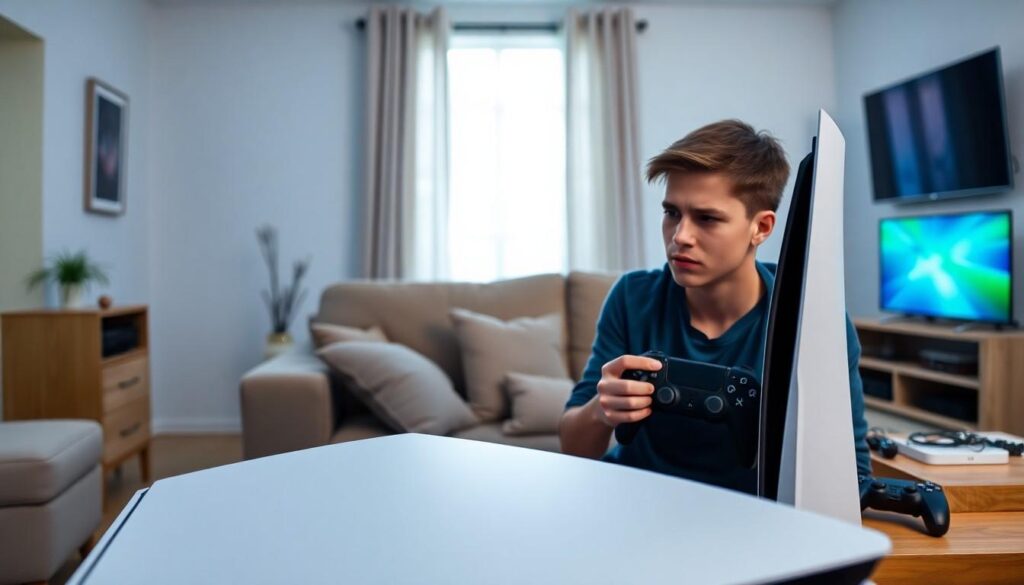
Picture this: you’re deep into an epic gaming session on your shiny new PlayStation 5 when suddenly, the screen turns an ominous shade of green. Panic sets in as you wonder if your console has decided to join the ranks of the undead. Fear not, fellow gamer! The infamous PS5 green screen isn’t a death sentence; it’s just your console’s way of saying it needs a little TLC.
Overview Of Playstation 5 Green Screen
The PlayStation 5 green screen occurs when users experience a visual glitch that disrupts gameplay. This issue can manifest during startup or while playing games. Users frequently report sudden transitions to a green screen without prior warning, leaving them concerned about the status of their console.
Several factors contribute to this problem, including software glitches, hardware malfunctions, or connection issues. Software glitches often arise after system updates or new game installations. Hardware malfunctions may involve the HDMI cable, the console itself, or the display device. Connection issues between the console and the TV can also lead to green screen occurrences.
Troubleshooting this dilemma typically involves checking cables, resetting the console, or adjusting display settings. Inspecting HDMI cables for any visible damage plays a critical role in resolving the issue. Resetting the console can restore system settings to factory defaults and eliminate software errors. Adjusting display settings, particularly resolution and refresh rate, may help establish a stable connection.
Understanding the causes and solutions significantly eases user frustration. Users can navigate through typical fixes or seek assistance if problems persist. Addressing the green screen promptly ensures that gameplay remains uninterrupted and that the console operates effectively.
Common Causes Of Playstation 5 Green Screen

Multiple factors contribute to the appearance of a green screen on the PlayStation 5. Identifying these common causes can assist users in troubleshooting the issue effectively.
Hardware Issues
Hardware problems often lead to the green screen glitch. Faulty HDMI cables can disrupt the connection between the console and the display. A loose or damaged cable might prevent a solid signal. Additionally, issues with the TV or monitor can contribute to the problem. Inadequate power supply can also trigger glitches. Users should inspect connections and consider trying different cables or monitors to isolate hardware-related issues.
Software Glitches
Software glitches often appear as a primary cause of the green screen. An outdated system software version may lead to compatibility problems with games or apps. Corrupted game files can also cause screens to flicker or turn green unexpectedly. Users may want to check for system updates directly through the PS5 interface. Restoring the console to factory settings might also eliminate persistent software issues. Regular maintenance of software can ultimately prevent green screen occurrences.
Troubleshooting Steps For Playstation 5 Green Screen
Resolving the PlayStation 5 green screen issue involves several troubleshooting steps. These actions can help restore normal functionality and enhance gaming experiences.
Check Your Connections
Ensure all connections are secure. Inspect the HDMI cable for any signs of damage. Verify that the cable is firmly connected to both the console and the TV. Loose connections often lead to display issues. Trying a different HDMI port on the TV may also help. If possible, use a high-quality HDMI cable to ensure optimal signal transmission. Connecting the console directly to the TV, instead of through a receiver or splitter, might eliminate potential conflicts.
Restart Your Console
Restarting the console can resolve temporary glitches. Turn off the PlayStation 5 completely by holding down the power button until it beeps twice. After it’s powered off, wait for about 30 seconds before turning it back on. Additionally, clearing the console’s cache can help enhance performance. To do this, unplug it from the power source and leave it unplugged for a minute before reconnecting. Restarting often resolves minor issues, including green screen occurrences.
Update System Software
Keeping the system software up to date is crucial. Navigate to the settings menu and select “System Software.” Check for any available updates and install them if necessary. Outdated software may result in compatibility issues, contributing to the green screen. Regular updates not only fix bugs but also improve system stability and performance. Ensuring the console is connected to Wi-Fi can streamline this process, making software updates seamless and efficient.
Preventive Measures To Avoid Playstation 5 Green Screen
Maintaining the PlayStation 5 in optimal condition can significantly reduce the chances of encountering the green screen issue. Implementing the following preventive measures helps ensure a smooth gaming experience.
Proper Console Placement
Finding the right location for the PlayStation 5 plays a crucial role in preventing overheating and hardware issues. Positioning it on a flat, stable surface allows adequate airflow around the console. Keeping it away from heat sources like radiators or direct sunlight helps maintain its internal temperature. Avoiding enclosed spaces prevents dust accumulation and promotes proper ventilation. Additionally, placing it vertically or horizontally as intended ensures stability during gameplay.
Regular Software Updates
Frequent updates significantly enhance system performance and reduce compatibility issues. Installing the latest system software keeps the PlayStation 5 equipped with bug fixes and improvements. Users can enable automatic updates in the console’s settings for hassle-free maintenance. Checking for game updates regularly ensures that titles perform optimally. Staying current with software and game updates minimizes the risk of running into unexpected glitches, including the dreaded green screen.
Conclusion
Dealing with the PlayStation 5 green screen can be frustrating but it’s often a fixable issue. By understanding the potential causes and following the recommended troubleshooting steps, users can restore their gaming experience without extensive downtime.
Taking preventive measures such as ensuring proper console placement and keeping software up to date can significantly reduce the likelihood of encountering this glitch.
With a little attention and care, gamers can enjoy uninterrupted play and make the most of their PS5.