Imagine this: you’re on a business trip or vacation, and you’ve got your shiny new PlayStation 5 packed tight in your suitcase. The excitement of gaming in a hotel room is palpable, but wait—there’s a problem. The hotel Wi-Fi is about as reliable as a chocolate teapot. Fear not, fellow gamer! Connecting your PS5 to hotel Wi-Fi doesn’t have to be a Herculean task.
In this guide, you’ll learn the ins and outs of getting your console online without pulling your hair out. From navigating those pesky login screens to troubleshooting common hiccups, we’ve got you covered. So grab your controller, and let’s dive into the world of hotel gaming—because who says you can’t game in style, even away from home?
Understanding Hotel WiFi Limitations
Connecting a PlayStation 5 to hotel Wi-Fi presents unique challenges. Knowledge of these limitations helps ensure a better gaming experience.
Common Connectivity Issues
Gamers often encounter weak signals in hotel rooms. Distances from access points lead to reduced bandwidth. Restricted device connections may also complicate access. Users frequently face mandatory login pages requiring authentication. These barriers often disrupt seamless gameplay. Expect slower speeds during peak hours due to high user demand. Gamers might experience session timeouts when inactive, requiring frequent re-logins to maintain connectivity.
Network Restrictions to Consider
Hotel Wi-Fi networks often restrict gaming traffic. Some hotels implement firewalls blocking specific gaming services. Bandwidth throttling by the hotel can hinder game downloads or updates. Certain devices may not connect due to network configurations preventing gaming consoles. Local policies may also limit access to streaming services, affecting gameplay experience. Be mindful of these obstacles before starting a game session. Exploring available options helps to navigate these restrictions effectively.
Preparing Your PlayStation 5
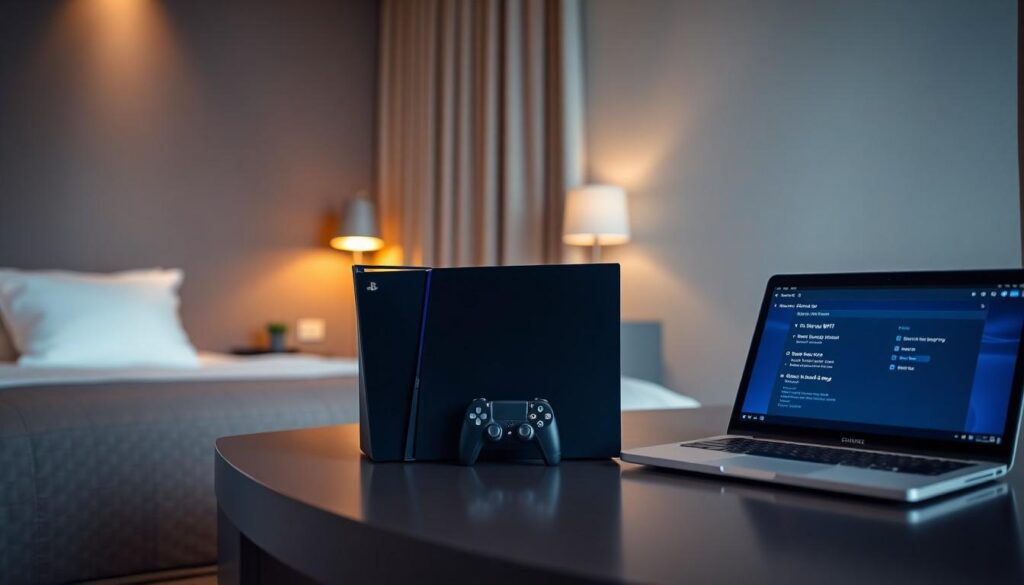
Preparation is key for connecting a PlayStation 5 to hotel Wi-Fi. Ensuring the console functions properly before connecting can save time and enhance the gaming experience.
Checking System Settings
Access system settings to verify the network connection details. Navigate to the “Settings” icon from the home screen and select “Network.” He or she can then view current connection status and type. Adjusting settings may help it identify the hotel network more efficiently. Look for options such as “Wi-Fi” or “Set Up Internet Connection.” If needed, consider choosing the “Wireless” option to find available networks. Connecting to the proper network ensures a smoother gaming experience.
Updating Firmware
Firmware updates are crucial for optimal performance. Before connecting to Wi-Fi, check for system updates. From the “Settings” menu, select “System” followed by “System Software.” Choose “System Software Update and Settings” to see if an update is available. Keeping the console current helps avoid compatibility issues with the hotel network. Performing updates prior to connecting can prevent interruptions and enhance connectivity, providing better gameplay once online.
Connecting to Hotel WiFi
Connecting a PlayStation 5 to hotel Wi-Fi requires a few specific steps to ensure a smooth process. Gamers must navigate the hotel’s network access restrictions while configuring their console for optimal performance.
Using the Built-In Browser
Accessing the hotel Wi-Fi network often involves using the PlayStation 5’s built-in browser. Navigate to the settings menu and select the network option. Once there, users should connect to the hotel network. After establishing a connection, the console prompts users to open the built-in browser. This interface shows the hotel’s login page, allowing users to proceed with entering their credentials. If the login page does not appear automatically, trying to visit any website can trigger the required page. Successful navigation through the browser is crucial for completing the connection.
Entering Login Credentials
Entering login credentials typically involves a straightforward process. First, users find the fields for entering their username and password on the login page. Inputting this information accurately enables access to the network. Users may encounter additional factors like agreeing to terms of service or completing a CAPTCHA challenge. Completing these requirements grants full access to the hotel’s internet services. If users face issues while logging in, double-checking the entered details can resolve most problems. Ensuring that everything is entered correctly facilitates a smoother gaming experience.
Troubleshooting Connection Problems
Connection issues can frustrate gamers who are trying to enjoy their PlayStation 5 while staying at a hotel. Identifying solutions quickly can improve the gaming session.
Connection Timeout Solutions
First, check the strength of the hotel Wi-Fi signal. If the signal is weak, it may contribute to connection timeouts. Moving closer to the router or access point can often enhance connectivity. Next, restarting the PS5 can resolve temporary glitches affecting the network. Adjusting network settings, such as switching between Wi-Fi bands, also offers a potential fix. Using the 5GHz band might improve speed, while 2.4GHz provides better coverage. Finally, ensuring the hotel network doesn’t have restrictions on gaming traffic can prevent session interruptions.
Resetting Network Settings
Resetting network settings restores the PS5 to default configurations. Navigate to the settings menu and select the network options for this process. Doing so can clear any saved network conflicts that impede connection. After resetting, re-enter the hotel Wi-Fi credentials accurately. Remember to check that the console firmware is updated, as outdated software can hinder connections. Ensure that the console is recognized by the hotel network to avoid further complications. Reattempt connecting after these adjustments for an improved experience.
Conclusion
Connecting a PlayStation 5 to hotel Wi-Fi can be a straightforward process when armed with the right knowledge. By understanding the unique challenges posed by hotel networks and preparing accordingly, gamers can enjoy their favorite titles without interruption.
Following the outlined steps and troubleshooting tips ensures a more seamless gaming experience while traveling. With a little patience and the right approach, it’s possible to turn any hotel room into a temporary gaming haven. Gamers can stay connected and keep the fun going, no matter where they are.