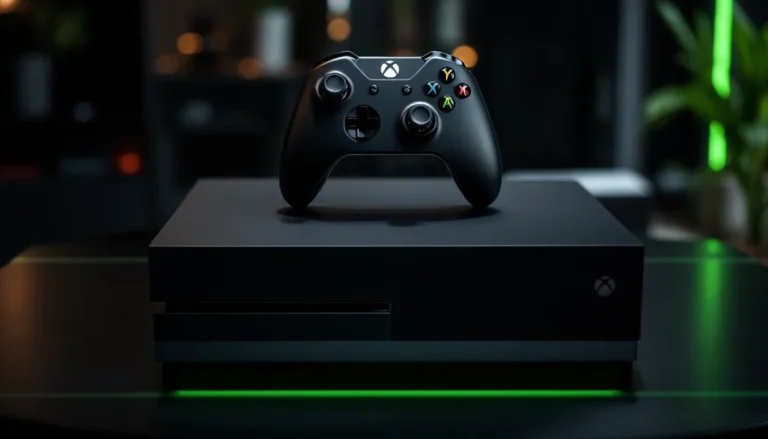
Is your Xbox One running slower than a turtle on a treadmill? If so, it might be time for a hard drive replacement. With all those epic games and downloadable content piling up, the last thing anyone wants is a console that feels like it’s stuck in quicksand. Upgrading that hard drive can breathe new life into your gaming experience, giving you the speed and space you crave.
Imagine loading your favorite games in the blink of an eye and having room for all those titles you’ve been eyeing. It’s not just a tech upgrade; it’s a game-changer. Whether you’re a casual player or a hardcore gamer, replacing your Xbox One hard drive can transform your console into a powerhouse. Let’s dive into the process and make your gaming dreams come true—because who wants to wait for loading screens when there’s a virtual world to conquer?
Understanding Xbox One Hard Drive Replacement
Replacing the hard drive in an Xbox One is a crucial improvement that enhances gaming performance. Gamers can experience faster load times and increased storage capacity with an upgraded hard drive.
Importance of Upgrading Your Hard Drive
Upgrading an Xbox One hard drive dramatically enhances gaming performance and experience. Faster load times lead to reduced wait periods, allowing players to jump into action quickly. Additional storage enables users to download more games and content without worrying about running out of space. A larger capacity supports the growing library of games and downloadable content, ensuring a seamless gaming experience. Overall, an upgraded hard drive transforms the way gamers interact with their consoles.
Signs That You Need a Replacement
Recognizing signs that an Xbox One hard drive requires replacement is vital for maintaining performance. Frequent loading screens and lag during gameplay often indicate a need for a new drive. System crashes or error messages, particularly when launching games, serve as clear warning signs. Limited storage notifications that occur even after deleting games suggest that the hard drive is nearing its limits. Slow system navigation can frustrate users, making a replacement increasingly necessary. These signs collectively indicate that an upgrade can restore optimal functionality.
Types of Hard Drives for Xbox One

Upgrading the hard drive in an Xbox One involves selecting the right type of storage. Various hard drives provide unique advantages depending on user needs and preferences.
Traditional HDD vs. SSD
Traditional hard disk drives (HDD) use spinning disks for data storage. They offer larger storage capacity at a lower cost, making them ideal for budget-conscious gamers. Solid-state drives (SSD), on the other hand, utilize flash memory for faster data access. Loading times decrease significantly with SSDs, enhancing overall gaming performance. Gamers looking for a quick and responsive experience may prefer SSDs despite their higher price point. Each type of drive serves different priorities based on storage needs and performance expectations.
External vs. Internal Hard Drives
Internal hard drives install directly inside the Xbox One, requiring users to open the console. This method often provides better performance and seamless integration with the system. External hard drives connect via USB, making them more portable and easier to install. They also allow gamers to expand their storage without opening the console. Choosing between these options depends on comfort level with hardware and the desire for mobility. External drives can be beneficial for gamers who switch between multiple consoles or want added flexibility.
How to Replace Your Xbox One Hard Drive
Replacing the hard drive in your Xbox One enhances performance and expands storage. Follow these steps for a smooth upgrade.
Tools You’ll Need
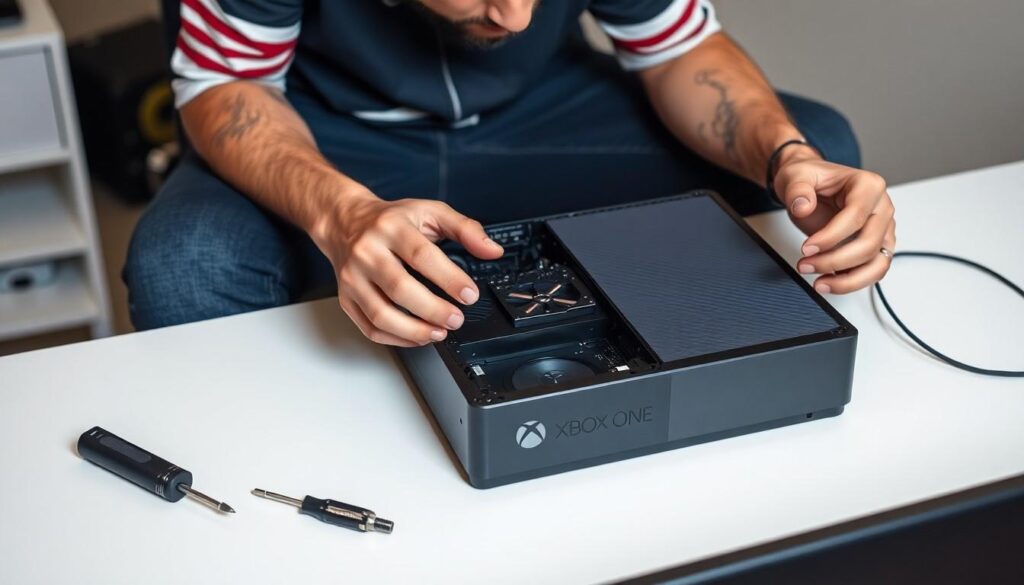
Gather essential tools for the task. A screwdriver, specifically a Torx T8 or T10, is necessary for opening the console. You’ll also require an external storage device for backing up data. Securing a new hard drive, either an SSD or HDD, is essential. Ensure the selected drive is compatible with Xbox One systems. A utility knife may assist in prying open the case if needed, while tweezers can help with small components.
Step-by-Step Replacement Process
Begin by backing up your data on the external storage device. Power off the console and unplug all cables before proceeding. Remove the outer casing using the Torx screwdriver. Once the casing is off, carefully detach the old hard drive from its connectors. Position the new hard drive into the same slot, ensuring the connections align properly. Reassemble the console and reconnect all cables. Power on the Xbox One to format the new drive. Verify the installation by checking the storage options in the system settings.
Best Hard Drives for Xbox One
Upgrading the Xbox One hard drive significantly enhances gaming performance. Selecting the right hard drive depends on user needs and preferences.
Recommendations for SSDs
Samsung 870 EVO stands out, offering exceptional read and write speeds of up to 550 MB/s. Crucial MX500 is another excellent choice, known for its reliability and performance. Western Digital Blue 3D NAND delivers great speed, making installation a breeze. Those looking for portability might consider the SanDisk Extreme Portable SSD, which combines speed and ruggedness. Each of these SSDs ensures reduced loading times and improved responsiveness during gameplay.
Recommendations for HDDs
Seagate Barracuda leads the HDD market with 2 TB of storage at an affordable price. WD Black is ideal for gamers seeking enhanced performance, supplying a 7200 RPM speed for quick load times. Toshiba X300 offers a balance of performance and storage, peaking at 8 TB capacity. Each model provides ample space for multiple games and downloadable content. Opting for these HDDs allows for an economical upgrade while expanding gaming library possibilities.
Conclusion
Upgrading the hard drive in an Xbox One can be a game-changer for any player. It not only improves loading times but also enhances overall performance and enjoyment. By recognizing the signs that indicate a replacement is necessary, gamers can take proactive steps to maintain their console’s efficiency.
Choosing the right type of hard drive is crucial. Whether opting for an SSD for speed or an HDD for larger capacity, the right choice can significantly impact the gaming experience. Following the outlined steps for installation ensures a smooth upgrade process.
With the right tools and a bit of patience, players can transform their Xbox One into a more powerful gaming machine, ready to tackle any challenge. The benefits of this upgrade are clear, making it a worthwhile investment for any dedicated gamer.