Table of Contents
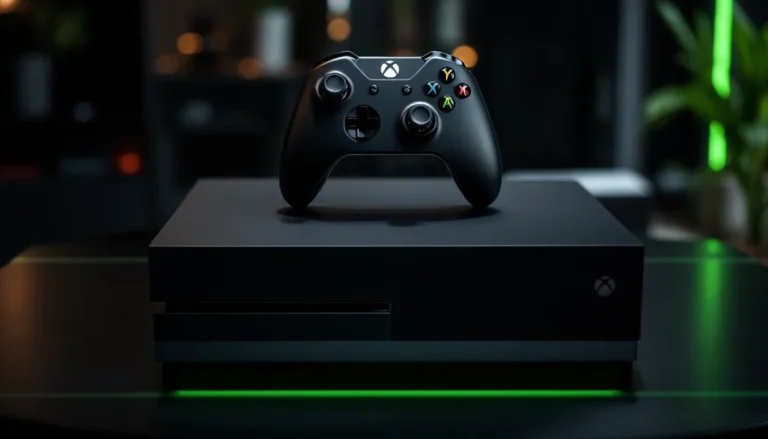
ToggleThe Xbox One X launched back in 2017 as Microsoft’s premium console, and it’s still a damn solid machine in 2026. If you’re hunting for a used Xbox One X, you’re looking at one of the best entry points into high-performance gaming without the next-gen price tag. The console’s 12 TFLOPS GPU and 8-core CPU still crush modern titles at 4K resolution, and the library of games available has only grown. But buying used? That comes with its own set of challenges, dodgy sellers, hardware wear, hidden damage, and pricing chaos across different platforms. This guide walks you through everything you need to know before dropping cash on a used Xbox One X, from spotting red flags to setting it up for years of trouble-free gaming.
Key Takeaways
- A used Xbox One X remains a cost-effective gaming solution at $150–$250, delivering solid 4K gaming performance without the $500 price tag of a Series X.
- Inspect physical condition carefully before purchase: check HDMI and USB ports, listen for unusual fan noises, test the disc drive, and verify the power brick is original Microsoft hardware.
- Avoid scams by requesting timestamped photos and video proof of the console powering on, verifying the serial number with Microsoft, and meeting local sellers in public places.
- Storage fills quickly on the 1TB drive with modern games like Halo Infinite and Forza Horizon 5 consuming 100+ GB each; check available space and consider external drives for older titles.
- Buy from reputable sources like eBay (30-day returns), GameStop (30-day warranty on refurbished units), or local game shops (7-14 day return periods) for buyer protection.
- Maintain your used Xbox One X by keeping vents clear of dust, enabling auto-updates, avoiding heat sources, and monitoring controller condition to extend the console’s lifespan by 3-5 years.
Why The Xbox One X Still Matters In 2026
Performance And Game Advantages
Let’s be real: the Xbox One X is aging hardware. But “aging” doesn’t mean obsolete. The console still delivers 4K gaming at solid frame rates on a massive library of titles. Games like Halo Infinite, Forza Horizon 5, and the entire backwards-compatible Xbox 360 catalog run beautifully. The 12-teraflop GPU handles demanding workloads that would struggle on an original Xbox One.
The backward compatibility is a massive selling point. You can grab cheap physical games from the last two console generations and they’ll run optimized or at least enhanced versions on the One X. The digital library has matured too, indie gems, AAA franchises, and niche titles are all cheaper used or on Game Pass.
Another advantage: the Xbox One X sits comfortably in the “good enough” zone. You’re not chasing 120 fps or ray-tracing overkill. You’re getting solid 30-60 fps gaming at 4K, which genuinely looks great on a modern TV. For casual to mid-core gamers, that’s plenty.
Cost-Effective Gaming Alternative
This is the real draw. A used Xbox One X typically runs $150–$250, depending on condition and market conditions. Compare that to $500 for an Xbox Series X. That’s a massive difference for someone who wants to experience the Xbox library without the bleeding-edge hardware investment.
Game Pass makes the deal even sweeter. A Game Pass subscription gives you access to hundreds of titles, including day-one releases. Pair that with a cheap used One X and you’ve got a gaming setup that costs less than a mid-range gaming laptop.
If you’re building a secondary console for a partner, sibling, or just a living room station, the used Xbox One X is unbeatable value. You get 4K gaming, a vast catalog, and years of life left in the hardware for a fraction of current-gen console prices.
What To Look For When Buying A Used Xbox One X
Physical Condition And Hardware Inspection
Start by examining the console’s exterior. Look for dents, scratches, or cracks, they’re cosmetic mostly, but they hint at how the owner treated the device. The bigger concern is the vents and fan. The Xbox One X runs warm, and if the vents are clogged with dust or the fans sound like a jet engine, you’re looking at potential overheating issues down the line.
Check the HDMI port and USB ports carefully. Bent pins or loose connections spell trouble. If possible, ask the seller to show the console powering on and reaching the home screen. Listen for unusual clicking or grinding sounds, those indicate mechanical failure, usually the hard drive or fan bearing.
Inspect the power brick and cable. Frayed wires, discoloration, or burn marks are deal-breakers. A faulty power supply can trash the entire console. Ask the seller if the power cable and brick are original or third-party. Original Microsoft hardware is always safer.
The disc drive matters if you plan to buy physical games. Have the seller test a disc if they have one. The drive can fail on the One X, especially on heavily used units, and replacement is costly.
Controller And Accessory Assessment
Controllers get worn hard. Check for stick drift, have the seller move the analog sticks through their full range of motion and confirm the thumbsticks respond without drifting. Stick drift is expensive to fix and often signals the controller’s days are numbered.
Inspect the buttons and triggers. Do they click cleanly? Do the triggers travel smoothly without sticking? Check the rumble motors by having the seller activate them, if there’s no vibration feedback, you’ve got a non-functional controller.
Look at the overall condition of the case and grips. Worn grips are annoying but not critical. Cracks or pieces missing are more serious, you’ll want to budget for a replacement controller anyway, usually $40–$70 used.
If the console comes with additional accessories (headsets, charging docks, adapters), test them if you can. Ask what’s included in the sale clearly. Sometimes sellers bundle cheap third-party gear that doesn’t justify the asking price.
Storage Capacity And System Updates
The Xbox One X ships with a 1TB hard drive, which sounds like a lot until you start installing modern games. Call of Duty: Modern Warfare, Halo Infinite, and Forza Horizon 5 each consume 100+ GB. Realistically, you’ll fit 4-6 AAA titles before the drive is full.
Check how much free storage space the console has. Boot it up and navigate to settings, this info is easy to find. If the drive is nearly full or shows errors, it’s a red flag. Ask the seller if they’ve had any issues with the hard drive crashing, freezing, or making noise.
Confirm the console has been updated to the latest firmware. Connect it to the internet and let it update if needed. Outdated firmware can cause compatibility issues with newer games and services. If the seller claims the console hasn’t been online in years, that’s a concern.
Optional but smart: ask about the console’s age and whether it’s under any warranty. Original purchase date can tell you how many hours of gaming it’s endured. Consoles from 2017-2018 are pushing their limits: 2019-2021 models are safer bets.
Price Comparison And Market Research
Used Xbox One X pricing varies wildly depending on condition, location, and platform. As of early 2026, expect to pay:
- Excellent/Like-New Condition: $200–$280
- Good Condition (minor cosmetic wear): $150–$200
- Fair Condition (visible wear, fully functional): $100–$150
- Rough Condition (cosmetic damage, fully functional): $75–$125
Condition is subjective, so get specifics from the seller. “Good condition” to one person might mean different things.
Market prices fluctuate based on demand. Check recent sold listings on eBay, Facebook Marketplace, and Craigslist for your area to establish a baseline. Sites like Digital Trends regularly cover console pricing and deals, which helps inform your expectations.
Factory-refurbished consoles from authorized retailers sometimes drop into the $200–$250 range during sales. If you catch a deal, that’s safer than private sales because they come with basic warranties. Compare used private sales against refurbished prices, sometimes the refurbished unit is worth the premium for peace of mind.
Don’t anchor on the asking price. Sellers often list high expecting negotiation. Come prepared with comparable listings and condition details. If the console is missing the controller or original packaging, knock 10-15% off your offer. Missing power cable? Another 5-10%.
Watch for seasonal patterns. Around major game releases or holiday periods, prices can spike. Off-season (summer months) sometimes yields lower prices from sellers eager to clear inventory.
Where To Buy A Used Xbox One X
Online Marketplaces And Retailers
eBay is the largest used gaming hardware marketplace. You get buyer protection, seller ratings, and return windows. Prices vary, but you can filter by condition and watch auctions or buy fixed-price listings. Check the seller’s feedback score, anything below 98% with multiple complaints about item condition is risky.
Facebook Marketplace and Craigslist connect you directly with local sellers. No shipping costs, no middleman fees. The catch: no formal buyer protection. You’re meeting a stranger with cash. Inspect the console thoroughly before handing over money, and always meet in public. The ability to test the console in person before buying is the major advantage here.
GameStop sells used consoles in-store and online. Their grading system is standardized: “Refurbished” (fully tested, 30-day warranty) vs. “Used” (tested but may have cosmetic wear). Prices are higher than private sales, but the warranty and return policy provide safety.
Amazon has both direct listings and third-party sellers. Verify whether you’re buying from Amazon directly or a marketplace seller. Prime shipping is convenient, but verify the “Renewed” label doesn’t hide hidden defects. Read reviews carefully.
Best Buy occasionally stocks used consoles in-store through their refurbishment program. Quality is reliable, pricing is fair, and the return policy is generous. Not always in stock, but worth checking if you’re in a hurry.
Specialty gaming retailers like Pure Xbox sometimes reference used hardware deals or recommendations for trusted resellers. Check out their Xbox news and community to find reliable options.
Local Options And In-Person Purchases
Local game shops and retro gaming stores often stock used consoles. Prices are sometimes higher than online, but you get in-person inspection and instant gratification. These shops also offer trade-in credit if you have old hardware to swap.
Ask the shop owner about the console’s history and testing process. Reputable shops test hardware thoroughly and offer return periods (usually 7-14 days). Get everything in writing, what’s included, what the warranty covers, and return conditions.
Private meetups through Craigslist or Facebook require caution but save shipping costs. Never wire money or pay before seeing the console. Meet in a public place (coffee shop, shopping mall) during daylight. Bring someone with you. Test the console right there on your phone’s hotspot if possible. Don’t leave without powering it on and checking all ports.
School bulletin boards, community centers, and garage sales occasionally have consoles. These tend to be lower-priced because sellers don’t know market value. Inspect carefully, you won’t have leverage for returns.
Avoiding Scams And Red Flags
Common Seller Deceptions
Watch for phantom listings, sellers who post heavily discounted consoles that don’t actually exist. They use your deposit to scam others or never deliver. Ask for timestamped photos of the console with the seller holding a sign with today’s date.
Overstated condition descriptions are rampant. “Excellent” might mean the controller has stick drift. “Light cosmetic wear” could be a cracked case. Get specific details: “Does the disc drive work?” “Any signs of liquid damage?” “Has it been refurbished or repaired?”
Banned or suspended accounts attached to the console are a nightmare. If the seller’s Xbox Live account has been suspended (often for fraud or cheating), the console might be flagged. Ask if the console’s account is in good standing. Request access to the home screen to verify.
Stolen consoles occasionally surface online. Ask where the console was purchased originally and get the receipt if possible. Legitimate sellers can usually produce proof of purchase. If they’re vague or refuse to provide details, walk away.
Hard drive failure is passed off as “minor issues.” A console that crashes, freezes, or won’t stay powered on likely has a failing drive. Don’t assume “factory reset will fix it”, that’s rarely true.
Missing power adapters or controllers are sometimes not disclosed upfront. Clarify what’s included in the sale. Replacement power bricks cost $50+, and controllers aren’t cheap either.
Verification Steps Before Purchase
Ask for photos and video before meeting. Have the seller power on the console, show the home screen, navigate to settings, and demonstrate controller responsiveness. Video proof beats photos every time, you see it actually working.
Check the serial number on Microsoft’s website if you’re buying online. Go to Tom’s Guide for tech verification tips, or contact Microsoft directly with the serial number. This reveals the console’s manufacturing date and any warranty status.
If buying from an online marketplace, confirm the seller’s return policy and dispute resolution process. eBay offers buyer protection, if the console arrives damaged or doesn’t match the description, you can file a claim and potentially get your money back.
For in-person purchases, test the console thoroughly before handing over cash:
- Power it on and verify it boots normally.
- Check both USB ports with a device (charger, keyboard).
- Test the HDMI output on a TV or monitor if possible.
- Press all buttons and triggers on the controller.
- Launch a game or app to confirm the disc drive or storage works.
- Check that the fan sounds normal (not grinding or whistling).
Get the seller’s contact information in writing. If problems emerge within the first week, you want to reach out. Legitimate sellers are comfortable with a brief grace period for buyer questions.
Warranty And Return Policies
Private sales usually offer zero warranty. You’re buying “as-is.” This is why in-person inspection matters so much. Online purchases should have some protection, at minimum a 3-5 day return window for cosmetic issues.
eBay return policy: 30 days for most items. If the console doesn’t match the listing or arrives damaged, you’re protected. Initiate a return claim immediately if there’s an issue.
Facebook Marketplace and Craigslist: No built-in protection. All negotiations and disputes are between buyer and seller. Document everything in writing (messages, texts, photos).
Refurbished consoles from retailers: Usually come with 30-90 day warranties covering hardware defects. GameStop’s refurbished consoles have a 30-day return window. That’s worth the extra $30-50 upfront.
Ask about the seller’s refund policy directly. Even private sellers sometimes offer a 24-48 hour “no questions asked” return if you test it at home and find defects. It costs them nothing to build goodwill, and it protects you.
Setting Up Your Used Xbox One X
Initial Setup And Network Configuration
When the console arrives or you get it home, don’t panic if it doesn’t power on immediately. The hard drive might be in sleep mode. Hold the power button for 10 seconds. If it still doesn’t respond, plug it in and wait 30 seconds before trying again.
Go through the initial setup wizard. Connect to your WiFi network or ethernet (ethernet is more stable). Let the console update fully, this might take 15-30 minutes depending on how outdated the firmware is. Don’t unplug it during updates.
Once the dashboard loads, go to Settings > System > Storage and check available space. If you’re below 50GB free, you’ll want to uninstall unused games or delete old profiles to make room.
Test your network connection by going to Settings > Network and running a connection test. Aim for download speeds above 25 Mbps for smooth gaming. If speeds are poor, troubleshoot your router or position the console closer to the WiFi source.
Recovering Your Gamertag And Game Library
If you have an existing Xbox Live account, sign in with your Microsoft credentials on the new console. Your account, achievements, and game library should sync automatically. This takes a few minutes.
If the previous owner’s account is still on the console, you can safely delete it. Go to Settings > System > Manage Profiles. Don’t worry, their data is tied to their Xbox Live account, not the hardware. Deleting the local profile doesn’t affect them.
If you’re concerned about privacy, do a factory reset. Go to Settings > System > Reset Console and choose “Reset and Remove Everything.” This wipes all data from the hard drive. It takes 10-15 minutes but gives you a clean slate.
Claim Games on Game Pass once you’re signed in. If you have an active Game Pass subscription, games download instantly. Your library syncs immediately, no need to re-download titles you’ve played before on another console.
System Maintenance Tips For Longevity
The Xbox One X runs warm, so keep vents clear. Never stack items on top of the console or place it in a cramped cabinet. Ensure at least 4 inches of clearance on all sides. The heat is normal, but excessive dust buildup kills consoles.
Clean the vents gently every few months using compressed air. A quick 10-second blast removes accumulated dust. Never use a vacuum, static can damage components.
Update the console regularly. Updates patch security vulnerabilities, improve performance, and add features. Enable auto-updates so you’re never stuck on outdated firmware.
Avoid heat sources. Don’t place the console near radiators, in direct sunlight, or below heating vents. Overheating causes crashes and shortens lifespan.
Keep the hard drive from filling up. Once you hit 90% capacity, performance degrades. Uninstall games you’re not playing regularly. External USB drives can add storage, but they’re slower, use them for backward-compatible Xbox 360 or original Xbox titles, not new games.
Monitor controller condition. If stick drift starts, fix it promptly. Letting it worsen damages the analog stick module irreparably. Look for reputable stick replacement services online, or budget for a new controller ($40-70 used).
Don’t leave the console in rest mode for extended periods without updates enabled. Monthly power cycles help the hardware reset and perform optimally.
Recommended Games And Titles To Play
A used Xbox One X is worthless without games, so here’s where to focus your library-building effort.
Halo Infinite is still the flagship multiplayer shooter for Xbox. The campaign is 8-10 hours of solid sci-fi storytelling, and the multiplayer is free-to-play. It runs at 60 fps at 1080p-1440p on the One X, which is smooth enough for competitive play. The gameplay loop is addictive, and weapon balance patches keep the meta fresh.
Forza Horizon 5 is one of the most visually impressive games on the console. Set in Mexico with dynamic weather and a massive open world, it’s a stunning showcase of what the One X can do. It supports 4K resolution at 30 fps or 1440p at 60 fps. Pick your poison between fidelity and frame rate. Single-player is 50+ hours: the multiplayer season updates continuously.
Cyberpunk 2077 had a rocky launch, but post-patch (version 2.1+) it’s vastly improved on One X. The 1440p 30 fps mode delivers a solid experience for an open-world action RPG. Story is gripping, and the world design rewards exploration. It’s cheap used now, too.
Hitman 3 and the Hitman trilogy are stealth sandboxes that respect player agency. Multiple solutions to every objective, gorgeous environments, and deep replay value. The One X handles them at 4K 30 fps beautifully.
GTA 5 Xbox One is practically a required play if you haven’t finished it. 100+ hour campaign, a living world, and GTA Online keeps the community active. Performance is solid at 1080p 30 fps stable. Physical copies are cheaper than digital right now.
Forza Horizon 4 Xbox One is the predecessor to Horizon 5 but still phenomenal. Set in the UK with seasonal changes that affect racing conditions. Less demanding than Horizon 5, so it runs smoother on aging hardware. A bargain-bin gem.
Call of Duty Black Ops 3 is aging but still plays tight. The campaign is bonkers fun, and multiplayer communities still exist if you hunt for active playlists. One X handles it at 1080p 60 fps solid.
Elden Ring and Dark Souls 3 are punishing but rewarding action RPGs. One X runs them at 1440p 30-60 fps depending on graphical settings. If you like dying repeatedly while learning enemy patterns, these are masterpieces. Massive replay value for speedruns and PvP.
Monster Hunter Xbox One scratches that co-op itch. Hunt massive beasts solo or with friends. Hundreds of hours of progression, gear crafting, and optimization. One X handles 1080p 60 fps consistently. The game is meditative once you internalize the combat loops.
Game Pass gives you access to hundreds of these titles for $11-15 a month. That’s your best value play on a used One X. Experiment with games risk-free, then buy physical copies of your favorites for collection purposes.
Conclusion
Buying a used Xbox One X in 2026 is a smart move if you know what to look for. You’re getting a capable machine with an enormous game library at a fraction of next-gen prices. The console still delivers 4K gaming at solid frame rates, and Game Pass makes it an unbeatable value proposition.
The key is due diligence. Inspect the hardware, verify condition through photos and video, confirm the console powers on, and test all ports and controllers. Know the market price for your area and don’t overpay. Buy from sellers with solid feedback or retailers with return policies. Red flags like vague descriptions, missing accessories, or suspicious pricing warrant walking away.
Once you’ve got your console home, set it up properly, keep the vents clean, and build a library of the classics and new releases that speak to you. A well-maintained Xbox One X is good for another 3-5 years of gaming, easy. You’ve got solid hardware, access to one of gaming’s best ecosystems in Game Pass, and a community that’s still active across multiplayer titles.
The console might not be cutting-edge anymore, but it’s far from dead. Smart shoppers and gamers who value value-for-money are finding the used market to be the real sweet spot for home console gaming right now.