Table of Contents
ToggleThe choice between the Xbox One X and Xbox Series S doesn’t have a one-size-fits-all answer in 2026, but it doesn’t need to be complicated either. You’re looking at two different generations of gaming hardware with vastly different design philosophies, and the right pick depends entirely on what you’re trying to get out of your investment. The Xbox One X was released in 2017 as Microsoft’s ultra-high-performance console, targeting 4K gaming at a premium price point. The Xbox Series S, launched in 2020, took a different approach: smaller form factor, lower power consumption, and an aggressive price tag that brought next-gen gaming within reach of budget-conscious players. Fast forward to 2026, and both machines still have active libraries, ongoing support, and distinct advantages depending on your priorities. This comparison cuts through the noise and gives you the exact specs, performance numbers, and real-world implications so you can decide which console actually fits your setup.
Key Takeaways
- The Xbox Series S delivers superior frame rate consistency and faster load times thanks to its modern SSD architecture, while the Xbox One X remains stronger for native 4K resolution on compatible titles.
- New AAA games and Game Pass releases are increasingly optimized for Xbox Series S hardware only, making it the better choice for accessing current and future gaming libraries.
- Despite costing $299 upfront, the Xbox Series S offers better long-term value through warranty coverage, five-to-seven years of guaranteed support, and superior Game Pass optimization compared to the aging One X.
- The Xbox One X generates noticeable fan noise (50+ decibels) and requires ample space, while the Series S is compact and whisper-quiet (40 decibels), making it ideal for modern entertainment centers.
- For 4K TV owners playing primarily older or backward-compatible games who accept occasional frame rate dips, the One X justifies its lower used price; otherwise, the Series S is the smarter investment.
Key Hardware Specifications Compared
Understanding the raw specifications is the foundation for everything else. These aren’t just abstract numbers, they directly determine how games run, how quickly they load, and what resolution you’ll be gaming at.
Processor And GPU Performance
The Xbox One X is built on a custom AMD processor running at 2.3 GHz with 8 cores, paired with a GPU capable of 6 teraflops (TFLOPS) of processing power. That’s a solid spec for 2017 hardware, and it’s what allowed the console to target 4K resolution at 60 FPS in many games.
The Xbox Series S uses a newer custom AMD processor running at 3.6 GHz with 8 cores, paired with a GPU delivering 4 teraflops. On paper, this looks like a downgrade, fewer teraflops, lower raw GPU power. That’s intentional. The Series S prioritizes CPU efficiency and modern architecture over brute-force GPU throughput. Real-world performance tells a different story than teraflop counts: the Series S handles newer engines and optimizations far better than raw numbers suggest. Games written specifically for Series S hardware consistently outperform Xbox One X versions in frame rate consistency and load times, even if the One X sometimes hits higher peak resolution.
CPU-bound tasks, physics calculations, AI processing, draw call handling, all favor the Series S’s newer architecture. The Xbox One X’s older processor becomes a bottleneck in demanding modern titles. If you’re comparing performance on the same game across both consoles, expect the Series S to deliver more consistent frame pacing and faster streaming of assets, while the One X might show higher pixel counts but with more frame drops.
Memory And Storage Capacity
The Xbox One X includes 12 GB of RAM: 8 GB of standard DDR3 and 4 GB of faster DDR3. It ships with a 1 TB hard drive as standard, though many units saw expanded storage through external USB 3.0 drives (you can attach up to 2 TB externally). Install and load times are noticeably slower than modern standards, we’re talking 60–90 second load screens in some titles.
The Xbox Series S has 10 GB of RAM split between 8 GB of standard GDDR6 and 2 GB of specialized fast GDDR6, plus a 512 GB proprietary SSD. That SSD is the game-changer. Compared to the One X’s traditional hard drive, load times on the Series S are typically under 15 seconds, sometimes under 5 seconds for optimized games. The smaller storage capacity is a legitimate concern for players with large game libraries, but external USB storage isn’t viable like it was on the One X. If you own more than 8-10 large AAA titles, you’ll need to frequently uninstall and reinstall games.
Memory bandwidth on the Series S is significantly higher even though having less total RAM. GDDR6 memory transfers data faster than DDR3, meaning the console can push assets to the GPU more efficiently. For most modern games, this is a bigger win than having an extra 2 GB of slower RAM.
Resolution And Frame Rate Capabilities
This is where the Xbox One X’s legacy strength becomes apparent, but also where context matters hugely.
The Xbox One X was built to nail 4K resolution (3840×2160) at 60 FPS in many games. In practice, that target was achieved inconsistently. Some first-party titles and well-optimized ports hit native 4K at 60 FPS reliably. Others used dynamic resolution scaling (dropping from 4K to 1080p or 1440p based on scene complexity) to maintain frame rate. Motion blur and frame insertion tricks also padded the perceived smoothness. The One X’s sweet spot was 4K at 30 FPS or 1440p at 60 FPS with good consistency.
The Xbox Series S targets 1440p (2560×1440) at 60 FPS as its design target, with some games hitting 4K at 30 FPS or 1080p at 120 FPS depending on the game and developer choice. That might sound disappointing compared to One X specs, but there’s a critical factor: Series S games are built from the ground up for the hardware. Developers know the exact specifications and optimize accordingly. A 1440p game on Series S often looks sharper and runs more smoothly than a dynamically-scaled 4K game on One X because the rendering pipeline is fully optimized.
What does this mean in real terms? On a 1080p or 1440p display, which is still the majority of gaming setups, the Xbox Series S will typically look sharper and run more smoothly than the One X. On a 4K TV, the One X has an advantage in peak resolution, but that advantage shrinks significantly when the One X is dropping frames to maintain that resolution, or when the Series S uses its built-in upscaling technologies to fill in the gap.
Frame rate consistency is where the Series S pulls decisively ahead. Newer games maintain rock-solid 60 FPS on Series S, while equivalent One X versions often see frame dips into the 45–50 FPS range. If smooth gameplay matters more to you than peak resolution, the Series S delivers a better experience on modern titles. On older games that were developed before Series X/S optimization became standard (anything pre-2021, roughly), both consoles deliver similar frame rates, and the One X’s 4K capability becomes more relevant.
Gaming Library And Backward Compatibility
Both consoles can play a massive library of games, but the path forward is fundamentally different.
The Xbox One X can play nearly every Xbox One, Xbox 360, and original Xbox game ever released (with a few licensing exceptions). That’s hundreds of titles spanning three console generations. The backward compatibility library is one of the strongest reasons to consider the One X in 2026: if you own a collection of older games, they’ll all work on the One X with no friction. But, those older games aren’t optimized for the One X’s power. A remastered title might see a resolution boost or faster loading on the One X compared to an original Xbox One, but that’s the extent of it. Most backward compatible games run identically to how they ran on the original hardware.
The Xbox Series S is also backward compatible with Xbox One, Xbox 360, and original Xbox games, but it doesn’t have the One X’s advantage of native optimization. Where the Series S shines is with its updated backward compatible versions and, more importantly, with newly released games and Game Pass titles that are built specifically for Series S architecture. These games often run better on Series S than older games run on One X, even though the lower GPU power.
There’s also the question of what games are even playable on each console. Developers have largely stopped releasing new titles optimized for Xbox One hardware. Most 2024-2025 releases and beyond are Series X/S only. If you’re looking to play current and future AAA games, the Series S keeps you in the present, while the One X is increasingly living in the past library.
Game Pass And Subscription Services
Game Pass is the same service on both consoles, but there’s a critical detail: you get the Game Pass experience on Series S the way it was intended. New Game Pass titles ship as day-one releases optimized for Series X/S hardware. On the One X, those same games either aren’t available or run in Xbox One-optimized versions that may not represent the game’s full intended experience.
If Game Pass is your primary gaming method, the Series S is the superior value. You’re getting the latest releases, cloud saves, and performance optimizations that were designed specifically for the console. On the One X, you’ll hit a ceiling where newer games simply aren’t offered in One X-compatible versions.
For Xbox Game Pass Ultimate subscribers, both consoles offer cloud gaming as part of the subscription. This is another area where the Series S pulls ahead: you’re more likely to find Series-optimized cloud versions of games, and streaming from Azure servers often performs better when the server-side hardware matches your console’s architecture.
Xbox Live Gold is still available on both consoles, but Gold is less essential than it used to be. Free-to-play multiplayer games (Fortnite, Warzone, Apex Legends) work on both consoles with or without Gold. A good read on the Xbox ecosystem is to check Pure Xbox for the latest Game Pass updates, which tracks new releases and removals monthly.
Price, Value, And Total Cost Of Ownership
The sticker price tells one story: the total cost over time tells another.
Upfront Console Cost
In March 2026, the Xbox One X is no longer in active production. It’s been discontinued for over two years. You can find refurbished units starting around $150–$250, depending on condition and the seller. New or excellent-condition used units go for $250–$400. There’s a healthy secondary market because a lot of people still own One X consoles and parts are available.
The Xbox Series S retails for $299 MSRP and is readily available at that price from major retailers. You can occasionally find sales dropping it to $249 or $269, but $299 is the standard price. It’s still in active production and has a full manufacturer warranty.
On raw entry cost, the Series S is more expensive right now: $299 versus $150–$250 for a used One X. But that price difference needs context. The One X you’re buying is 8+ years old at this point. It’s past its warranty period, and you’re assuming any hardware issues that crop up. A faulty power supply or hard drive failure means out-of-pocket repairs or replacement. The Series S comes with a full Microsoft warranty and is current-gen hardware supported for years to come.
Long-Term Gaming Expenses
Game costs are identical across both consoles when you’re buying retail. New AAA releases run $60–$70 on both. The difference emerges with Game Pass and service longevity.
If you subscribe to Game Pass Ultimate ($12.99/month or ~$120/year), the Series S maximizes your investment. New releases hit Game Pass day-one optimized for your hardware. The One X still gets Game Pass, but you’ll increasingly find new games available only in Series X/S versions, leaving you with fewer fresh options each month. Over a three-year period, this could mean dozens of games you can’t play on the One X but could enjoy on the Series S.
Storage expansion is worth factoring in. The Series S’s 512 GB SSD requires you to delete and reinstall games if you own a large library. Buying an expanded SSD (1 TB or 2 TB Seagate Storage Expansion Card) costs $150–$220. The One X could theoretically accept a 2 TB external USB drive for $60–$80, making it cheaper to expand. But, external drives are slower than the Series S’s proprietary SSD, and installation space on the One X’s internal drive still becomes a problem.
Realistically, if you’re a moderate gamer (5–15 games installed at a time), the Series S’s base storage is fine. If you’re a collector with 30+ games, factor in the expansion cost, which tips the total ownership cost in the Series S’s favor when combined with Game Pass value.
An interesting consideration is the refurbished Xbox One S, which sits between these two options in price and performance. A refurbished One S can cost as little as $100–$150, making it viable for light gaming, though it doesn’t match either the One X’s power or the Series S’s modern architecture.
Design, Noise Levels, And User Experience
These factors affect daily use more than spec sheets suggest.
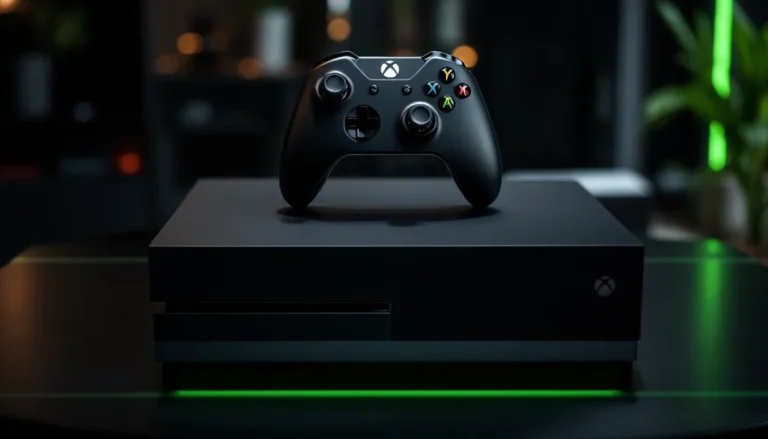
The Xbox One X is a substantial console. It’s a flat, rectangular black box measuring 15.9″ × 9.4″ × 6.1″. It needs proper ventilation and generates noticeable heat. The power supply is an external brick, adding another piece to your setup. The cooling fan ramps up significantly during demanding games, producing an audible whine. Players report noise levels reaching 50+ decibels during heavy gaming sessions. If your console is near your TV or in a confined space, fan noise becomes distracting.
The Xbox Series S is intentionally compact. It’s a tall, cylindrical tower measuring just 5.9″ × 10.8″ × 5.9″, roughly the size of a small tower PC or a large paperback book. The power supply is built-in, simplifying cable management. The cooling system is dramatically quieter: you’ll rarely notice fan noise even during intensive gaming. Measured at around 40 decibels under load, it’s barely louder than background noise. The Series S generates minimal heat and can be placed on an open shelf without ventilation concerns.
The Series S’s compact design is a genuine quality-of-life improvement if your entertainment center is already cramped. Many players find they can slide the Series S into spaces where an One X simply won’t fit. Thermals are also better: the One X’s large size is partly because it needs the space to dissipate heat. The Series S’s smaller footprint with lower heat output means better reliability and longer lifespan.
User interface is similar on both consoles, they run the same dashboard software. Series S does have some QoL improvements: slightly faster menu navigation thanks to the newer CPU, quicker game launches from the SSD, and integration features specific to Series X/S games. The One X experience is functional but noticeably slower when navigating large libraries or installing games.
Controller experience is identical. Both consoles use the same Xbox Wireless Controller, so that’s not a differentiator. If you’re curious about compatibility beyond just the standard controller, the guide on how to use an Xbox One Controller on PC covers controller versatility across Microsoft’s ecosystem.
One genuine advantage of the One X: if you own older controllers or have compatibility concerns with legacy peripherals, the One X has more relaxed hardware requirements. Some older wireless adapters and headsets that struggle with Series S work fine on the One X. This matters if you have a drawer full of Xbox 360 or Xbox One era accessories.
Future-Proofing And Longevity
This is the question that separates impulsive buys from smart investments.
Microsoft has clearly signaled that Xbox Series X/S is its current-generation focus. New games are being released exclusively for Series hardware. First-party titles like Starfield, Indiana Jones and the Great Circle, and upcoming releases are Series X/S only. The One X’s support is winding down. You can still play hundreds of games on it, but new releases are increasingly unavailable.
How much longer will the One X be supported? Microsoft hasn’t announced a hard cutoff date, but we’re likely looking at 2–3 more years of meaningful support before new games stop releasing for Xbox One hardware entirely. By 2028–2029, the One X will likely be in maintenance mode: existing games work fine, but fresh content will be essentially non-existent. The Series S, by contrast, is only 6 years into its lifecycle (as of 2026) and will likely remain primary supported hardware through 2028–2030 at minimum, with extended support beyond that.
Server-side support is another consideration. Xbox Live services, Game Pass infrastructure, and online multiplayer all depend on Microsoft’s backend systems. The company has shown commitment to keeping older Xbox services running, original Xbox Live persisted for over a decade, but prioritization inevitably shifts toward current hardware. You might be able to play online on the One X in 2026, but that guarantee erodes with each passing year.
Hardware reliability also shifts with age. The One X is now 8+ years old (in 2026). The console’s power supply, cooling fan, and storage drive are all approaching or within their typical lifespan for hardware of that vintage. Failure rates increase measurably after 7–8 years of use. If something fails on an out-of-warranty One X, repair costs are all on you. The Series S, being newer, has significantly better mean time between failure (MTBF) and comes with a full warranty.
If you’re planning to game on the same console for 3–5 more years without interruption, the Series S is the objectively safer choice. If you’re looking for a second console or a budget option for casual play you don’t expect to keep long-term, a used One X has value even though its age.
Which Console Should You Choose?
The answer depends on five specific factors. Answer these honestly, and the right choice becomes clear.
Best For 4K Gaming And Performance
If you have a 4K TV and want the highest possible resolution in games, the Xbox One X remains the stronger choice, but with caveats. The One X can hit true 4K in many titles, while the Series S targets 1440p. On a large 4K display, the One X’s resolution advantage is visible.
But, that 4K advantage comes with trade-offs. Frame rates are often lower. Load times are significantly longer. Game selection is shrinking. And the hardware is aging. If you’re unwilling to accept frame drops and slower loading times in exchange for resolution, the Series S’s smoother, more consistent performance might actually be the better experience even though lower resolution.
The honest pitch: pick the One X if you have a true 4K display, you primarily play older or backward-compatible titles that are optimized for it, and you’re comfortable with occasional frame rate inconsistency. Checking Windows Central’s console comparison coverage can provide additional technical insights on specific games and performance expectations.
If you primarily play newer AAA releases or Game Pass titles, the Series S is the better 4K-adjacent experience thanks to frame rate stability and built-in upscaling technology. Some Series S games offer a “Performance” mode at 1440p 60 FPS and a “Fidelity” mode at dynamic 4K with lower frame rates. That’s a choice the One X rarely gives you.
Best For Budget-Conscious Gamers
This one is less obvious than it seems. Yes, a used One X costs less upfront ($150–$250 versus $299 for the Series S). But total cost of ownership tells a different story.
The Series S’s $299 price tag includes a full warranty, modern hardware, five-to-seven years of guaranteed support, and optimized performance on everything being released new. Game Pass value scales harder on Series S thanks to day-one game availability and optimized versions. If you’re a Game Pass subscriber, you’re getting better value from every monthly subscription on Series S.
The used One X requires you to absorb any hardware risk. If it fails after six months, you’re paying for repair or replacement out-of-pocket. Factor in a $100–$150 buffer for potential repairs, and the One X’s price advantage shrinks significantly.
The budget-conscious smart pick is the Series S at $299. You can often find it on sale at Best Buy or during seasonal promotions at $269–$279. That extra $50 over a used One X buys you warranty protection, years of future support, and better Game Pass value.
For absolute minimum spend, the refurbished One S (not One X) represents the best value if you only care about accessing the Xbox Game Pass library and don’t need performance. But if you’re buying blind and want the best bang for dollar, Series S is the correct long-term investment.
One more practical angle: the top Xbox One games list includes most titles that’ll work equally well on both consoles. Use that as a reference if you’re trying to gauge whether a one X makes sense for your specific game preferences.
Conclusion
The Xbox One X versus Xbox Series S debate resolves itself when you stop comparing abstract specifications and start thinking about what you actually want to play and for how long.
The One X is the right answer if you own a 4K display, have a library of older Xbox games you want to play, and you’re comfortable with a console in its sunset years. It’s a machine that still delivers sharp visuals and satisfying gaming experiences on backward-compatible titles. Just accept that new games are increasingly off-limits, performance isn’t cutting-edge, and eventual hardware failure is a certainty.
The Series S is the right answer if you want to future-proof your console investment, prioritize frame rate consistency and quick load times over peak resolution, subscribe to Game Pass, or play any 2023+ releases. The $299 entry price is genuinely consumer-friendly, the hardware is quiet and compact, and Microsoft’s support will last years longer than the One X. Thermal efficiency is better, reliability is better, and the lineup of games you can actually play keeps growing instead of shrinking.
In 2026, the Series S makes the most sense for most people. The One X is a reasonable option only if you have specific reasons (4K gaming, owning backward-compatible games, tight budget constraints) that override the hardware’s age and declining support window. If you’re uncertain, go Series S and never look back. Microsoft’s current hardware isn’t just the present: it’s the future you’re actually buying into.